

Reading resumes is a noble pursuit, but somewhere around the fiftieth one, the words start to blur together and every candidate begins to sound like they "leverage synergies." That is exactly the moment AI Resume Summary rides to the rescue. Instead of digging through pages of creative formatting and adventurous font choices, you get the key details pulled into one clean, scannable view, so you can spend less time squinting and more time finding great people.
A heads-up if you have used this feature before: AI Resume Summary replaces the older "Generate AI Resume Analysis" tool. The biggest change? You no longer click a button to run it. It happens automatically.
How AI Resume Summary Works
Here is the best part: there is nothing for you to do. A summary is generated automatically whenever a resume is added to an applicant's profile. That happens when:
A new applicant is created with a resume attached.
A resume is uploaded to an application record through our API (yes, even for records that existed before this feature launched).
If an applicant already has a summary and a new resume comes in, we automatically refresh the summary so you are always looking at the most recent information. No duplicates, no stale data, no detective work.
One thing to know: AI Resume Summary does not run retroactively on applicants who applied before the feature was released or enabled. It applies to new resumes going forward.
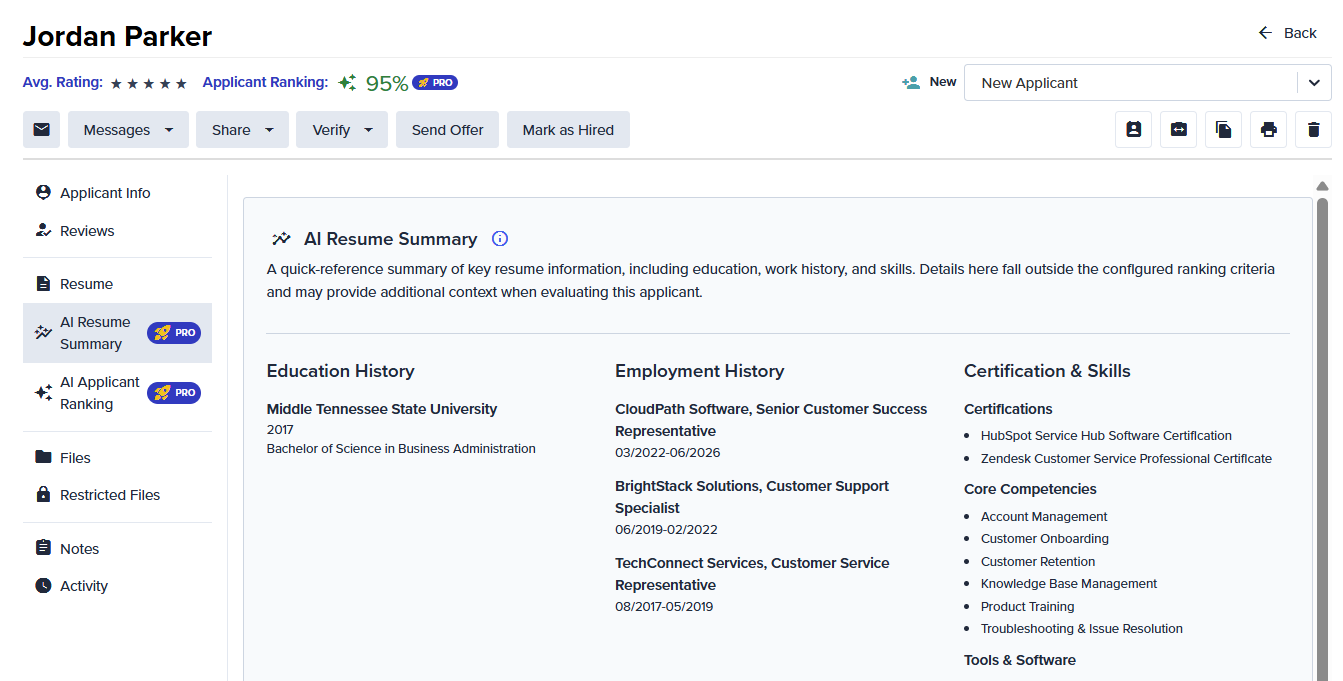
Where to Find the Summary
Open the applicant's profile.
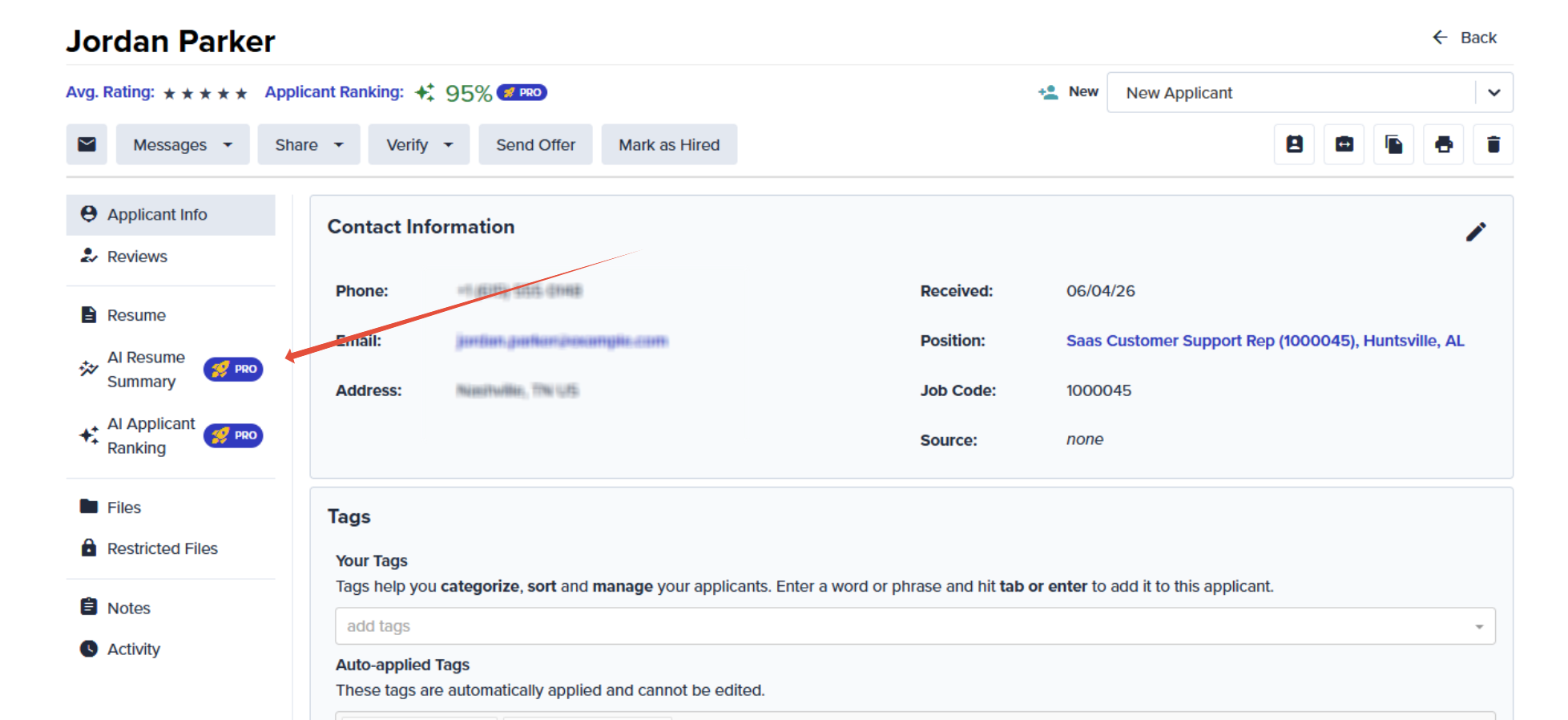
Look just beneath the Resume tab for the new AI Resume Summary tab.
Select it to view the summary.
The tab only appears when a summary is actually available for that applicant. So if you do not see it, that usually just means there is nothing to display yet (the Troubleshooting section below covers the likely reasons).
Troubleshooting
Not seeing a summary, or seeing an alert instead? Run through these quick checks before reaching out.
The AI Resume Summary tab is missing entirely
This usually comes down to availability:
You are on the Essential plan. AI Resume Summary is a Pro feature, so the tab will not appear on Essential plans. If you would like access, an account upgrade is the way to go.
AI features are turned off for your account. Someone on your team may have switched AI features off at the account level. If that was not intentional, head to the Main Menu, then Account Details > Feature Management, and turn the setting back on. (A friendly nudge: check with your legal team first in case the choice was deliberate.)
You see a banner that says the resume could not be parsed
If you spot the alert "We were unable to parse this resume due to its format or structure," the resume's formatting got in the way of our AI or there isn’t enough text there for us to review.
Still Need a Hand?
If you have worked through the steps above and things still are not behaving, do not worry — our Support Team is happy to help. Reach out anytime and we will get you and your applicant summaries sorted out in no time.
