
The Account Details page is now easier to access and allows users to manage select personal settings directly from the menu.
What You Can Manage
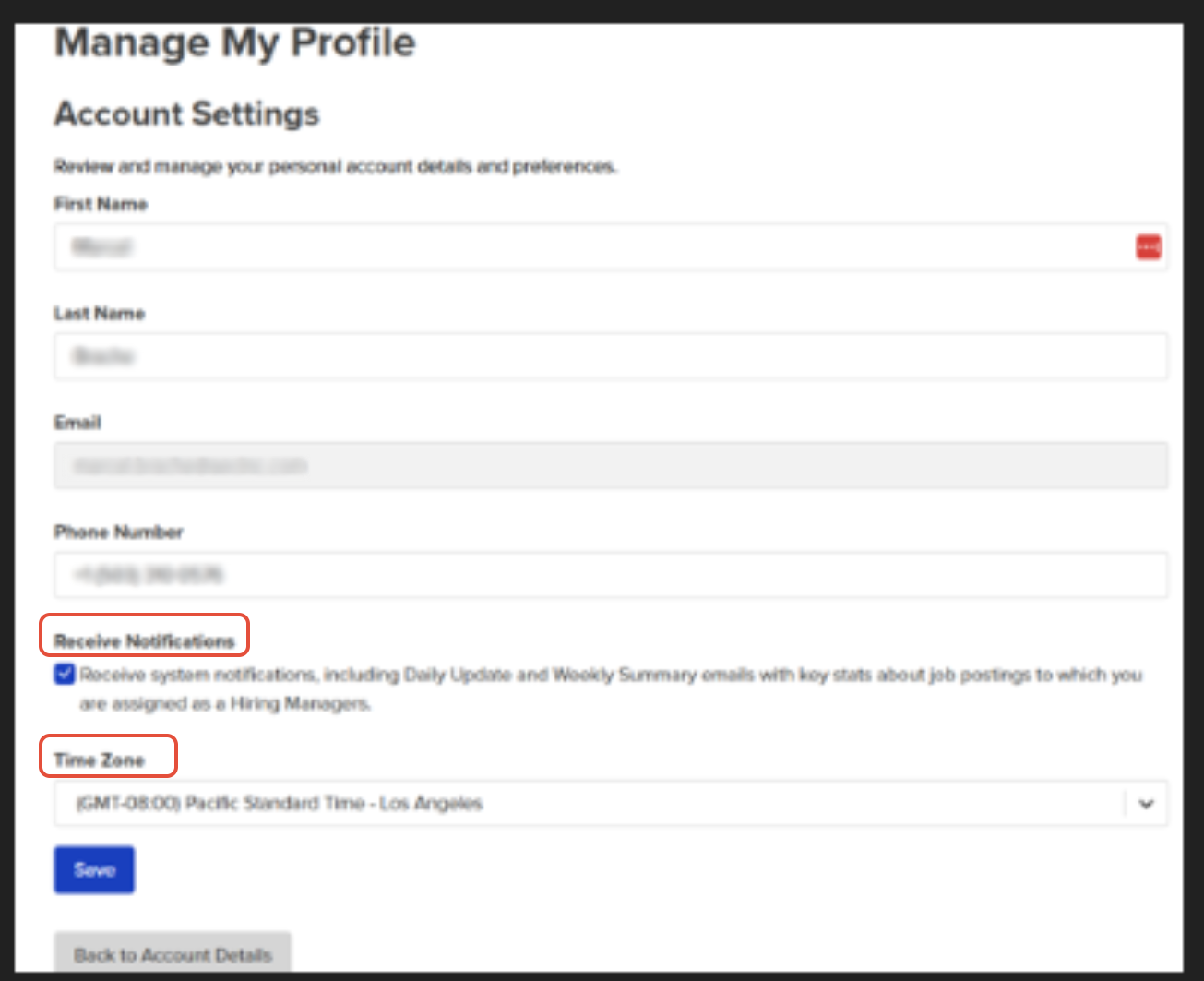
All users can update certain fields within their own Account Details, including:
Notification Preferences
Enable or disable system notifications using the Notifications checkbox.Preferred Time Zone
Set your time zone to ensure interview times and time-based notifications display correctly.NOTE: SSO Users: If you log in using Single Sign-On, your email address cannot be edited from My Profile.
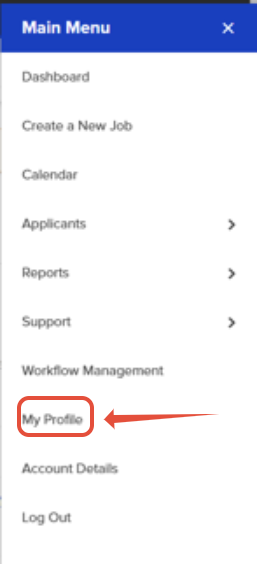
How to Access the Account Details Page
Click the hamburger menu (☰) in the top navigation
Select My Profile
Make any needed updates
Save your changes
Who Can Make Changes?
Users can edit their own Account Details only
Users cannot edit other users’ profiles
Administrative permissions and system-level settings remain unchanged
Why This Matters
Faster access to personal settings
Improved accuracy for scheduling and notifications
Reduced need for admin assistance
Helpful Tips
If you are not receiving notifications, confirm the Notifications option is enabled.
If interview times appear incorrect, verify your Time Zone setting.
Changes take effect immediately after saving.
If you have any questions or need assistance, our support team is happy to help.
